You have used OpenCode for a while. You know how to prompt it. You have shipped features with it. Now you are looking at oh-my-opencode because your tasks are getting bigger, and single-agent workflows are starting to feel like a bottleneck.
This post assumes you have installed the plugin and run a few ultrawork tasks. We are going to talk about the decisions that actually matter: model routing, concurrency limits, cost control, and how to integrate the plugin with Context7 and OpenViking.
Why Per-Agent Model Routing Matters
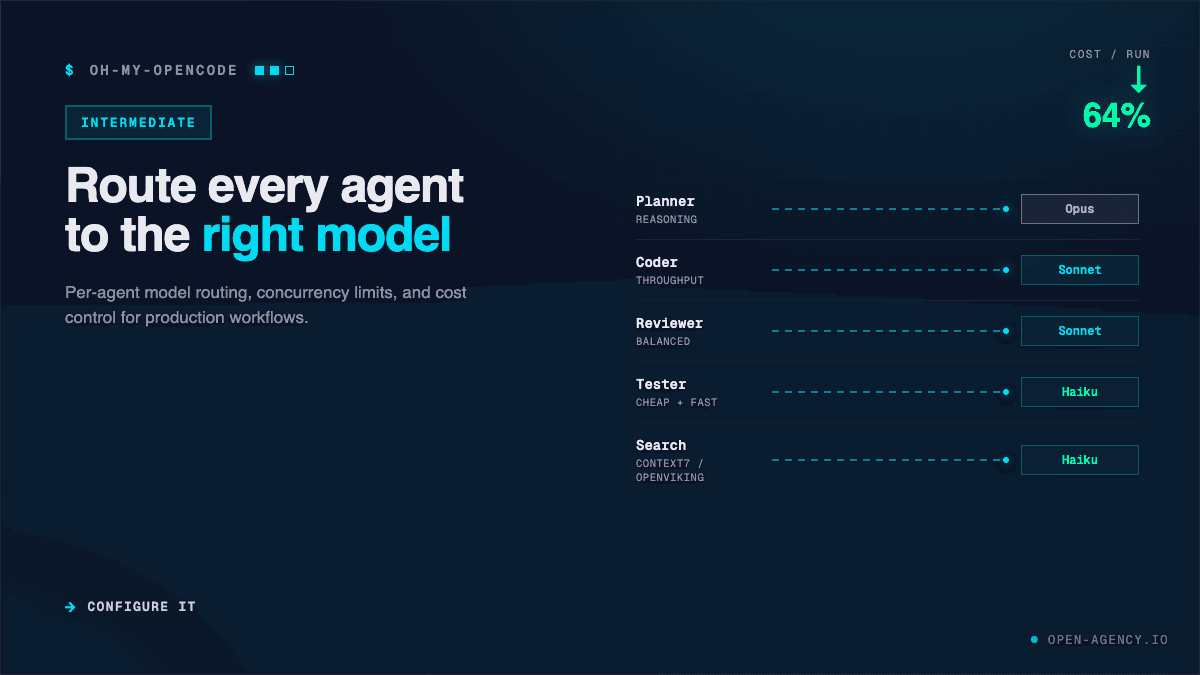
Oh-my-opencode does not use one model for everything. It routes tasks by category. The orchestrator picks the agent, and the agent config picks the model. This is not an implementation detail. It is the core architecture.
Here is the default routing table:
- Sisyphus (orchestrator): Claude Opus 4.7 or Kimi K2.6
- Hephaestus (deep worker): GPT-5.5
- Oracle (architecture/debugging): GPT-5.2 Medium
- Librarian (docs/code search): Claude Sonnet 4.5
- Explore (fast grep): Grok Code Fast
- Frontend specialist: Gemini 3 Pro
Each agent also has a fallback chain. If Claude Opus is unavailable, Sisyphus falls back to Kimi K2.6, then GLM-5.1. If GPT-5.5 is down, Hephaestus tries GPT-5.2, then GPT-5.4.
You can override any of this. In your oh-my-opencode.jsonc config:
{
  "agents": {
    "oracle": {
      "model": "anthropic/claude-sonnet-4-6",
      "variant": "high"
    },
    "hephaestus": {
      "model": "openai/gpt-5.5",
      "fallback": ["openai/gpt-5.2", "openai/gpt-5.4"]
    }
  }
}
The plugin auto-detects model families via isGptModel() and switches prompts accordingly. Agents that only support one family will degrade if you force the wrong model on them.
Why does this matter in practice? Because not every task needs a $200-per-month model. A fast codebase grep does not need Opus. A frontend component does not need GPT-5.5. Routing the right task to the right model is how you keep costs sane.
Concurrency: The Setting That Breaks Everything
Here is the most important configuration value in your entire setup:
{
  "sisyphus": {
    "max_concurrent_tasks": 2
  }
}
Set this wrong, and your workflow falls apart. Not slowly. Immediately.
I learned this the hard way. I set max_concurrent_tasks: 5 on a Claude Max20 plan. Three tasks timed out. Two completed. The orchestrator retried with degraded results. What should have been a fifteen-minute refactor took forty minutes and produced broken code.
Provider ceilings are real:
- Claude Max20: 3 parallel tasks max
- Kimi Code Subscription: roughly 4-5
- GLM Coding Plan: around 3
- OpenAI tiers vary by account
The rule is simple. Start at 2. Get ten clean runs. Then increase by 1 and watch for timeouts. Do not guess.
Cost Control Strategies
Token overhead is the hidden tax of oh-my-opencode. The plugin injects agent definitions, tool descriptions, hook configurations, and MCP server schemas into every context window. A simple prompt that would cost 500 tokens in vanilla OpenCode can cost 15,000 to 25,000 here.
You need a strategy.
Strategy 1: Reserve ultrawork for real work.
Do not use the keyword for one-line fixes or quick lookups. Save it for tasks that genuinely span multiple files and layers. For everything else, run vanilla OpenCode.
Strategy 2: Configure per-repo models.
One trick I picked up from a user who has run this for months: create separate config files for different project types. For complex architecture work, use Claude and OpenAI models. For simple utility scripts, switch to open-source models or cheaper endpoints.
You can script this:
#!/bin/bash
# switch-to-expensive.sh
cp ~/.config/opencode/oh-my-opencode.jsonc.expensive ~/.config/opencode/oh-my-opencode.jsonc

# switch-to-cheap.sh
cp ~/.config/opencode/oh-my-opencode.jsonc.budget ~/.config/opencode/oh-my-opencode.jsonc
This takes five seconds and can save you $50 on a bad day.
Strategy 3: Monitor your requests.
The plugin does not show you a running cost counter. You have to track it yourself. After each ultrawork session, check your provider dashboard. Look for spikes. If a task that usually costs $2 suddenly costs $20, something went wrong. Usually it is a subagent stuck in a loop.
When Ultrawork Helps and When It Hurts
Not every task benefits from multi-agent orchestration. Here is my decision framework after three months of use:
Use ultrawork when:
- The task touches more than three files across different layers
- You need distinct phases: research, planning, implementation, verification
- Background agents can gather context while workers execute
- The scope is large enough that you would otherwise babysit the agent through multiple prompts
Skip ultrawork when:
- The task fits in a single context window
- The problem is pure reasoning without external research
- You are running budget models that perform better with focused prompts
- You want predictable billing without routing surprises
The community benchmark that showed 69.2% pass rate for OMO versus 73.1% for vanilla OpenCode is instructive. The benchmark was a coding evaluation with single-context problems. OMO made 96 requests versus 27 and took 55 minutes versus 45. The orchestration added cost and latency without improving results.
But for a 45,000-line Tauri-to-SaaS conversion? OMO won decisively. Parallel agents handled the frontend, backend, and infrastructure changes simultaneously. That is the class of task where the overhead pays off.
Integrating Context7 and OpenViking
The plugin ships with three built-in MCPs: Exa for web search, Context7 for documentation, and Grep.app for GitHub code search. These are injected at runtime. You do not configure them separately.
But you can go further.
Context7 gives your agents current API documentation. When Hephaestus implements a new feature using a library he has never seen, Librarian pulls the latest docs from Context7 instead of relying on training data. The result is fewer hallucinated APIs and fewer "this method does not exist" errors.
To get the most from it, be specific in your prompts. Instead of "use the new React hooks," say "use React 19 use hook for streaming data." Context7 resolves the library ID and fetches version-specific snippets.
OpenViking replaces the default memory system. Instead of flat text chunks, your agent gets a virtual filesystem. Memories go in viking://memory/. Resources go in viking://resources/. Skills go in viking://skills/.
The tiered loading is the real win. L0 is the abstract overview. L1 adds summaries. L2 loads full details only when needed. On the LoCoMo benchmark, this reduced input tokens by 63% while improving accuracy from 24% to over 80%.
Setup is straightforward:
pip install openviking
openviking-server init
openviking-server doctor
Then point your agent config at the OpenViking endpoint. The plugin picks it up automatically if the MCP is registered.
Handling the Billing Risks
In March 2026, a user was billed ~$438 when a Gemini model got stuck in a git diff / read verification loop. Three problems compounded:
- No circuit breaker. Subagents had no maximum step limit.
- Silent model routing. The parent session was on GPT-5.4, but a delegated task was routed to Gemini 3.1 Pro without notification.
- Incorrect cost display. OpenCode's pricing snapshot missed the 200K+ context multiplier for Gemini, showing less than half the real cost.
PR #2590 is adding a configurable max step limit and loop detection. Until it ships, protect yourself:
- Set max_concurrent_tasks: 2
- Review your provider dashboard after every ultrawork session
- Check the SQLite task log if a session seems to be running too long
- Avoid Gemini for long-running background tasks until the circuit breaker lands
Customizing Agent Prompts for Your Domain
The default agent prompts are general-purpose. They work for generic software engineering. But if you are working in a specific domain, you will want to tune them.
The plugin loads rules from .omo/rules/ and AGENTS.md files. These are injected into every agent context. You can use them to teach agents your coding standards, your architecture patterns, and your naming conventions.
Here is a practical example. If you are building Terraform infrastructure, the default prompts will spawn browser automation and frontend agents that you do not need. Create .omo/rules/terraform-only.jsonc:
{
  "disabled_agents": ["frontend-ui-ux", "agent-browser"],
  "disabled_tools": ["look-at", "interactive-bash"],
  "rules": [
    "All infrastructure code must use Terraform 1.8+ syntax.",
    "Always validate with terraform plan before applying.",
    "Never hardcode secrets. Use variable blocks with sensitive = true."
  ]
}
This trims the context window and focuses the agent on what matters. One user reported cutting token usage by 40% just by disabling irrelevant agents for their workflow.
The /init-deep command auto-generates hierarchical AGENTS.md files throughout your project. Run it once when you onboard a new repository. It scans your codebase and creates context files that help agents understand module boundaries and dependencies.
Debugging When Agents Misbehave
Things will go wrong. Here is how to diagnose them.
Problem: Sisyphus does not delegate. You type ultrawork but the main agent just starts reading and writing files directly. No Oracle. No parallel Explore.
Diagnosis: Check that the ultrawork keyword actually triggered. The keyword detector hook can miss if OpenCode itself has a regression. Verify by running a simple test:
opencode run "ulw list all configuration files in this project"If the output shows a single agent doing all the work, the trigger failed. Upgrade OpenCode to the latest version. The keyword detector had a known regression in early 2026.
Problem: A background agent never returns. The task says "running" for twenty minutes.
Diagnosis: Check the SQLite task log at ~/.config/opencode/sessions/. Look for the task ID. If the agent hit a rate limit, you will see a retry loop. If the agent crashed, you will see an error blob. Cancel the task manually and re-run with lower concurrency.
Problem: Output quality dropped after a config change.
Diagnosis: Use the bunx oh-my-opencode doctor command. It verifies plugin registration, config syntax, model availability, and environment setup. It catches typos in model names and missing provider authentication.
Problem: Token usage is 3x higher than expected.
Diagnosis: Run with disabled_hooks set to [] temporarily to get a baseline. Then enable hooks one by one and measure the delta. Context injection hooks (AGENTS.md, README, rules files) are usually the biggest contributors. You may be injecting a 5,000-line README on every prompt.
Configuration Checklist for Production
Before you rely on oh-my-opencode for daily work, verify these settings:
- max_concurrent_tasks is set to 2 or your verified provider limit
- Each agent has a model and fallback chain you can afford
- The $schema field is present in your config for autocomplete and validation
- You have separate config profiles for expensive and budget work
- You know how to check provider dashboards for unexpected spikes
- You reserve ultrawork for genuinely multi-phase tasks
Final Thought
Oh-my-opencode is a power multiplier, not a universal upgrade. It shines when your tasks are large, cross-cutting, and multi-phase. It wastes money when your tasks are small and focused.
The difference between a smooth workflow and a billing incident is the configuration you set on day one. Get the model routing right. Cap your concurrency. Monitor your costs. Combine it with Context7 and OpenViking for context quality.
Do that, and the plugin earns its place in your stack.