You have tried AI coding assistants. Maybe you have used Claude Code, or OpenCode, or one of the newer open-source alternatives. They are impressive. But after a few weeks, you notice a pattern. The agent works fine for small tasks. Change one file, fix one bug, add one test. No problem.
Then you ask it to refactor a whole feature. Or convert a 45,000-line desktop app into a web application. The agent stalls. It forgets what it promised to do three prompts ago. It changes files in the wrong order and breaks your build. You end up babysitting it through every step.
That gap is exactly what oh-my-opencode tries to close.
What It Actually Is
Oh-my-opencode is a plugin for OpenCode. Think of OpenCode as the engine and oh-my-opencode as the tuning kit. It does not replace OpenCode. It sits on top of it and adds structure.
The plugin was built by a developer named code-yeongyu. According to the project README, he burned through $24,000 worth of LLM tokens on personal projects while testing every AI coding tool he could find. He kept what actually worked and packaged it into this plugin.
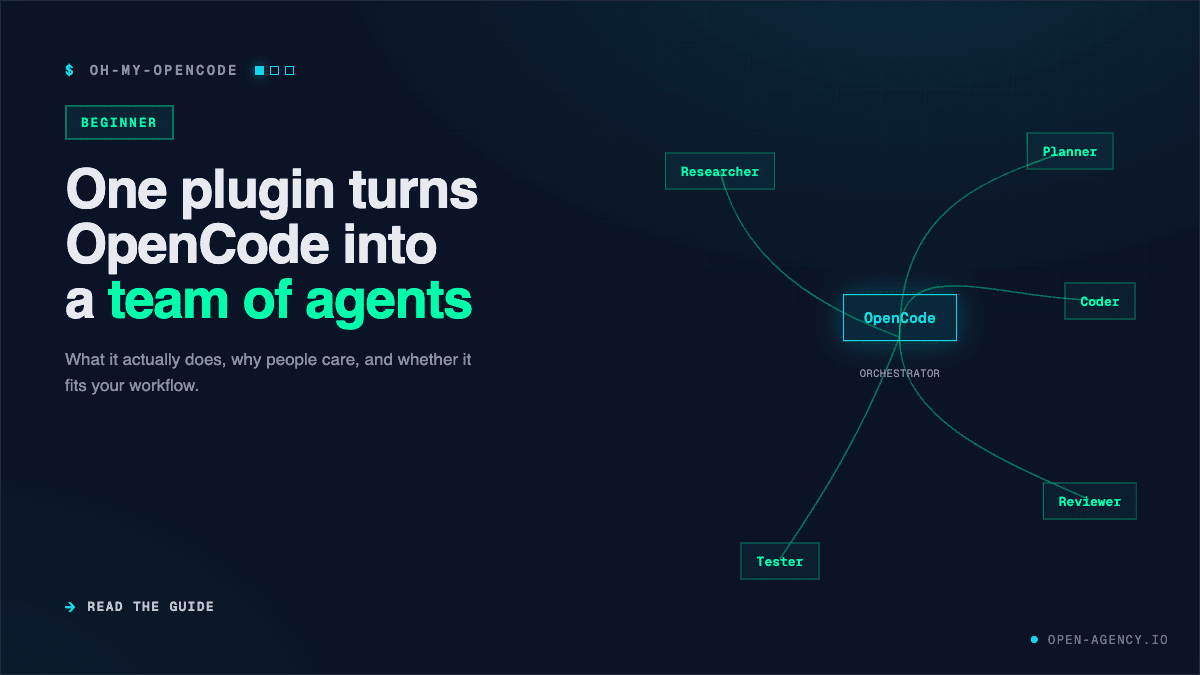
The core idea is simple. Instead of one agent trying to do everything, oh-my-opencode gives you a team of specialized agents. Each agent has a specific job. One plans. One researches. One writes code. One reviews architecture. They run in parallel when possible, and they hand off work to each other when it makes sense.
The keyword that triggers all of this is ultrawork. You type it at the start of your prompt, and the plugin activates its full orchestration mode. Without it, you are mostly just using regular OpenCode with a heavier context window.
What You Get Out of the Box
The plugin ships with eleven specialized agents. Here are the ones you will interact with most:
- Sisyphus is the orchestrator. You talk to Sisyphus. He decides who else should work on your task.
- Prometheus is the planner. Before any code gets written, Prometheus interviews you. He asks clarifying questions and builds a detailed plan.
- Hephaestus is the deep worker. Give him a goal, not a recipe. He explores the codebase and executes end-to-end.
- Oracle is the advisor. He is read-only, which means he cannot accidentally break anything. Use him for architecture reviews and debugging hard problems.
- Librarian finds documentation and examples. He searches official docs, GitHub repos, and the web.
- Explore is a fast codebase scanner. He finds patterns and files without deep analysis.
Each agent is tuned for a different model family. Sisyphus works best with Claude-class models. Hephaestus runs on GPT-5.5. The frontend specialist uses Gemini 3 Pro. You do not have to remember this. The plugin routes tasks automatically based on the category of work.
A Real Example
Let me walk you through what happens when you use it.
You open your terminal and type:
opencode run "ultrawork implement a new /health endpoint with readiness and liveness checks, add tests, update documentation, and verify it runs locally"Here is what happens next.
Sisyphus reads your prompt. He classifies the intent. This task spans multiple layers: API code, tests, docs, and local verification. He delegates pieces to specialist agents in parallel.
Prometheus builds a plan. He identifies the files that need changes. He estimates the order. He flags risks.
Hephaestus starts implementing the endpoint. At the same time, another agent works on the tests. A third agent updates the documentation. They do not wait for each other. They work simultaneously.
When they finish, Sisyphus collects the results. He runs verification. If something is missing, he sends it back for fixes.
You get the final result without chaining five separate prompts.
The Stack That Makes It Better
The plugin becomes more powerful when you combine it with two other tools.
Context7 is a documentation retrieval service. It fetches up-to-date, version-specific documentation for any library and injects it into your agent's context. No more hallucinated APIs. No more outdated code examples.
OpenViking is a context database built by ByteDance's Volcengine team. It organizes an agent's memory, resources, and skills into a virtual filesystem. Instead of flat text chunks, your agent gets a structured directory it can browse. Benchmarks show it improves long-context accuracy from roughly 24% to over 80% while cutting token usage by up to 63%.
Used together, these three tools give your agents a contextual foundation that vanilla OpenCode simply does not have.
The Honest Downsides
No tool is perfect, and oh-my-opencode has real drawbacks you should know about before installing it.
Token overhead is significant. The plugin injects a lot of context at startup. A simple "hello world" prompt can consume 15,000 to 25,000 tokens just from setup. That is before any actual work happens.
It is not always better. One community benchmark found that oh-my-opencode scored 69.2% on a coding evaluation, while vanilla OpenCode scored 73.1%. The plugin also made 96 requests compared to 27, and took ten minutes longer. For single-context tasks, the orchestration adds overhead without adding value.
Billing surprises can happen. In March 2026, a user was billed approximately $438 in one afternoon. A Gemini model got stuck in a verification loop and ran 809 consecutive turns over three and a half hours because there was no circuit breaker. A fix is in progress, but the risk is real.
You need an API key for the best models. If you want to use Claude through OpenCode, you need an Anthropic API key. That is a recurring cost that adds up fast.
Should You Try It?
Try oh-my-opencode if you fit this profile:
- You are already using OpenCode and hitting limits with large tasks.
- You work on multi-file features that require planning, implementation, testing, and verification.
- You want to experiment with parallel agent workflows.
- You have budget for API costs and understand the token overhead.
Skip it if:
- You mostly do small single-file edits.
- You are on a tight budget and every token matters.
- You prefer simple, predictable setups without configuration files.
Getting Started Safely
If you decide to try it, start conservative.
Install the plugin with:
bunx oh-my-openagent installThen set your concurrency low. In your config file, use:
{
  "sisyphus": {
    "max_concurrent_tasks": 2
  }
}
Claude Max20 tops out at three parallel tasks. Going higher causes timeouts and flaky completions. Start with two, get clean runs, then consider increasing.
Test specialist agents early. After installation, run:
opencode run "Use @oracle to analyze the architecture of this repository"If Oracle responds with a real analysis, your setup is working.
Reserve ultrawork for tasks that genuinely need it. Do not use it for quick questions or one-line fixes. Save it for the complex work where parallel agents actually help.
Final Thought
Oh-my-opencode is not magic. It is a power tool. It makes hard tasks easier, but it also makes simple tasks more expensive. The developers who get the most value from it are the ones who understand both sides.
Try it. Learn its limits. Combine it with Context7 and OpenViking if you want the full stack. And always keep an eye on your token count.
That is the honest starting point.